So we tried the sit-down buffet at Impressions in Maxims Hotel, but we sat down eating nothing for a long while. They say Impressions is a fine dining restaurant, but the food service is not so fine. I could ignore the hungry mosquitoes of Impressions feasting on my feet that night, but waiting so long for our food at a buffet where food is supposed to be served nonstop fails expectations. When the food was served, it was not even properly cooked!
A fellow grill and steak lover invited our barkada to have dinner at Impressions restaurant the other night. It’s at Maxim’s Hotel, near Resorts World Manila. We were so excited about it because the cost is only P888 per person, and that is for unlimited order of grilled foods such as lamb, steak, French duck, praws, tuna, and salmon.
Waiting for our other friends
The waitresses were pretty and polite. They had complementary bread and soup, which helped us like the restaurant at first.
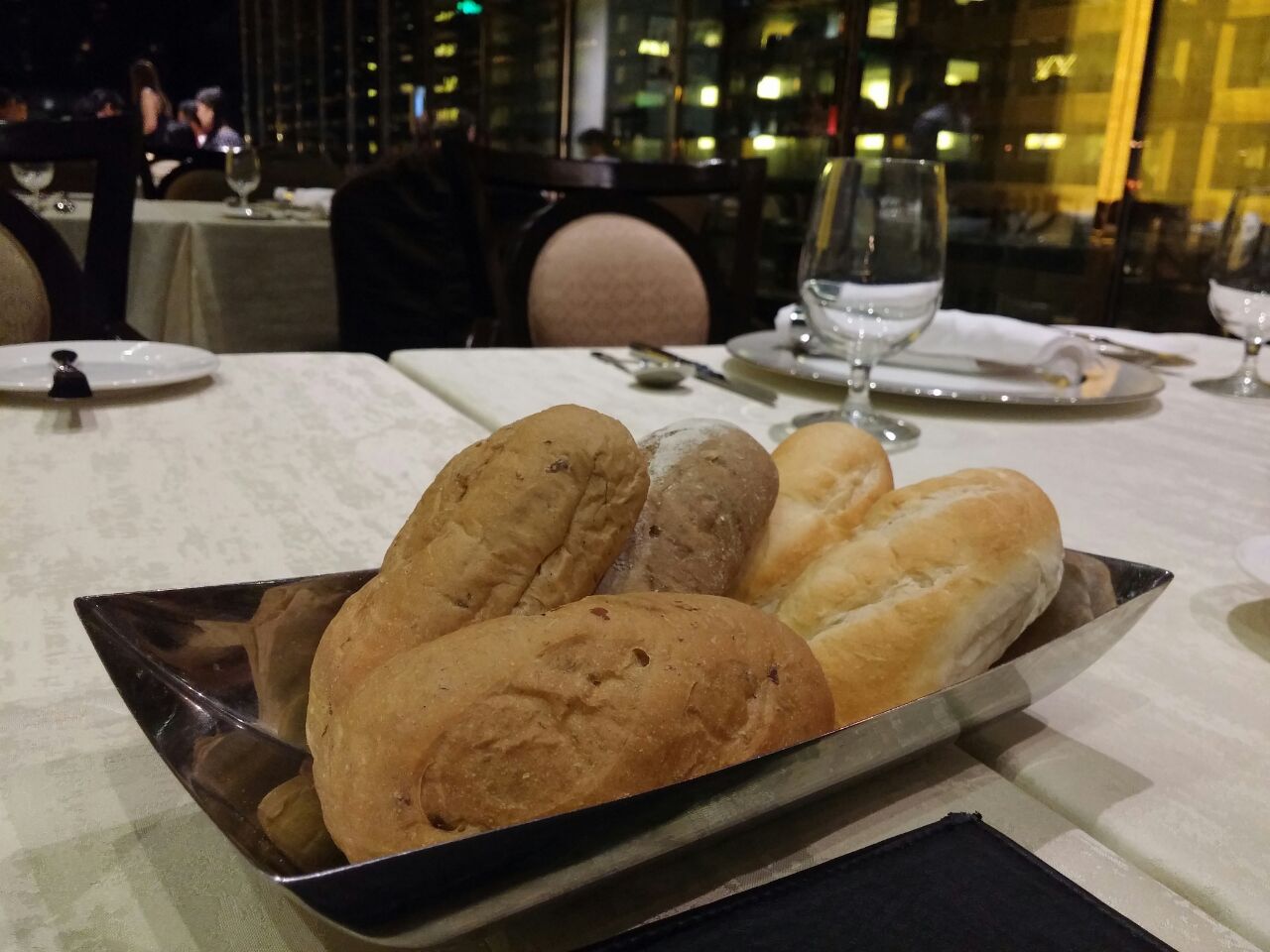
Complementary bread at Impressions @ Maxims hotel served with butter
There were white bread, walnut bread, and what we think was whole wheat bread. They’re warm and chewy, served with butter. I love bread and butter! I liked Impressions’ breads so much that I was able to ignore the restaurant’s mosquitoes helping themselves on my blood that night. They were all feasting on my feet. Argh!
Bowls of pumpkin soup with bacon bits were served after. There were 3 of us enjoying the bread and soup while waiting for the rest of the gang. When they arrived, we asked for their pumpkin soup bowls to be served but that took a long while. Our barkada‘s conversations got us through the long wait just fine and our seafood platter and meat platter were served. Take note: when the first platter was served, we ordered another batch of those platters immediately because we realized the ones already served were not enough for our group. It took ages for Impressions to serve the new batch, but I’ll get to that later. I’ll comment on what their foods taste like first. :p
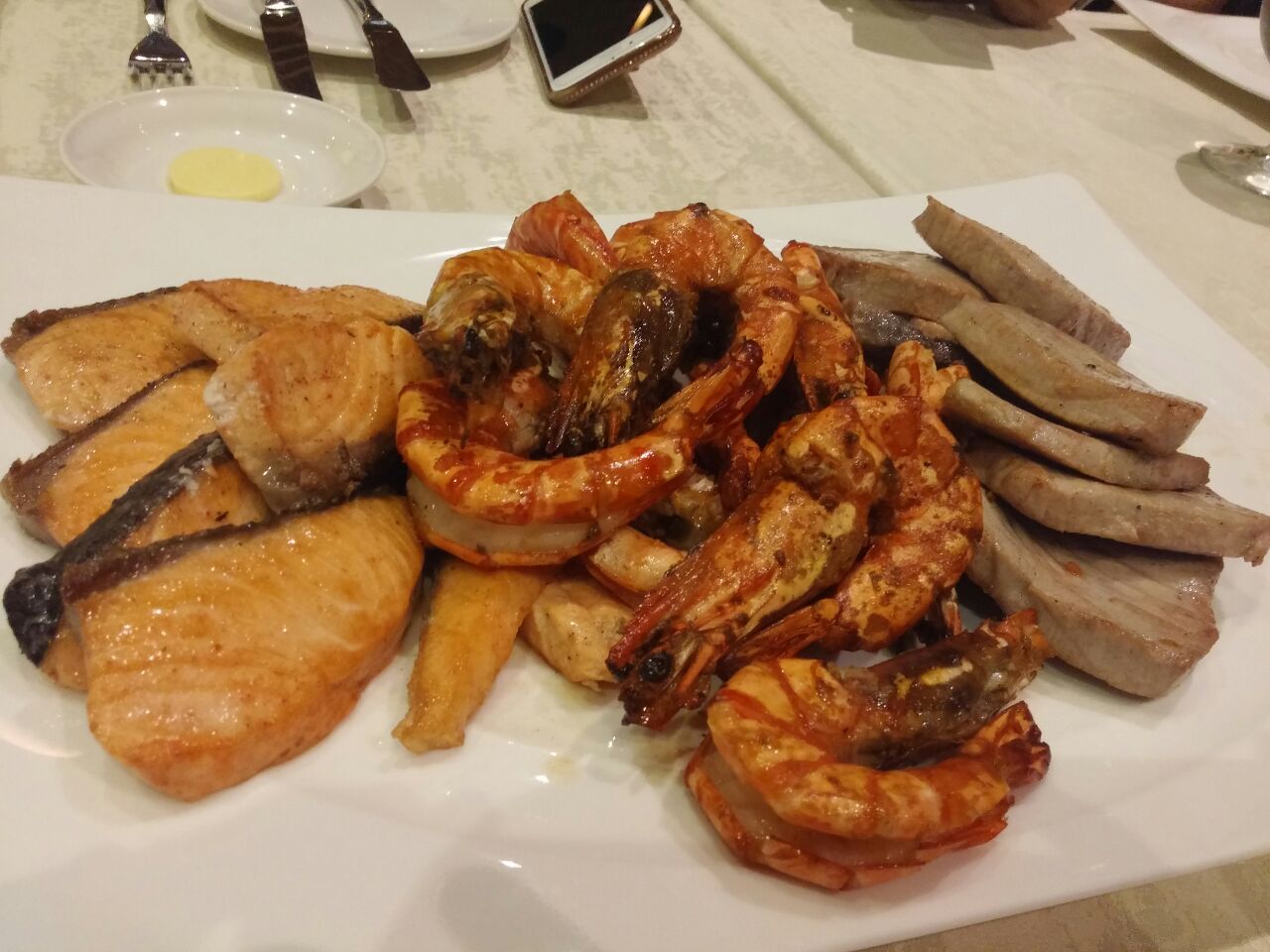
Seafood platter at Impressions @ Maxims hotel. Some tuna slices were sour. We hope those are still good.
The prawns were delicious. The salmon was yummy too but I realized then that I personally prefer raw salmon over cooked. 😀 The tuna was a bit sour but we thought that might be because Impressions marinated it in vinegar or lemon juice before cooking.
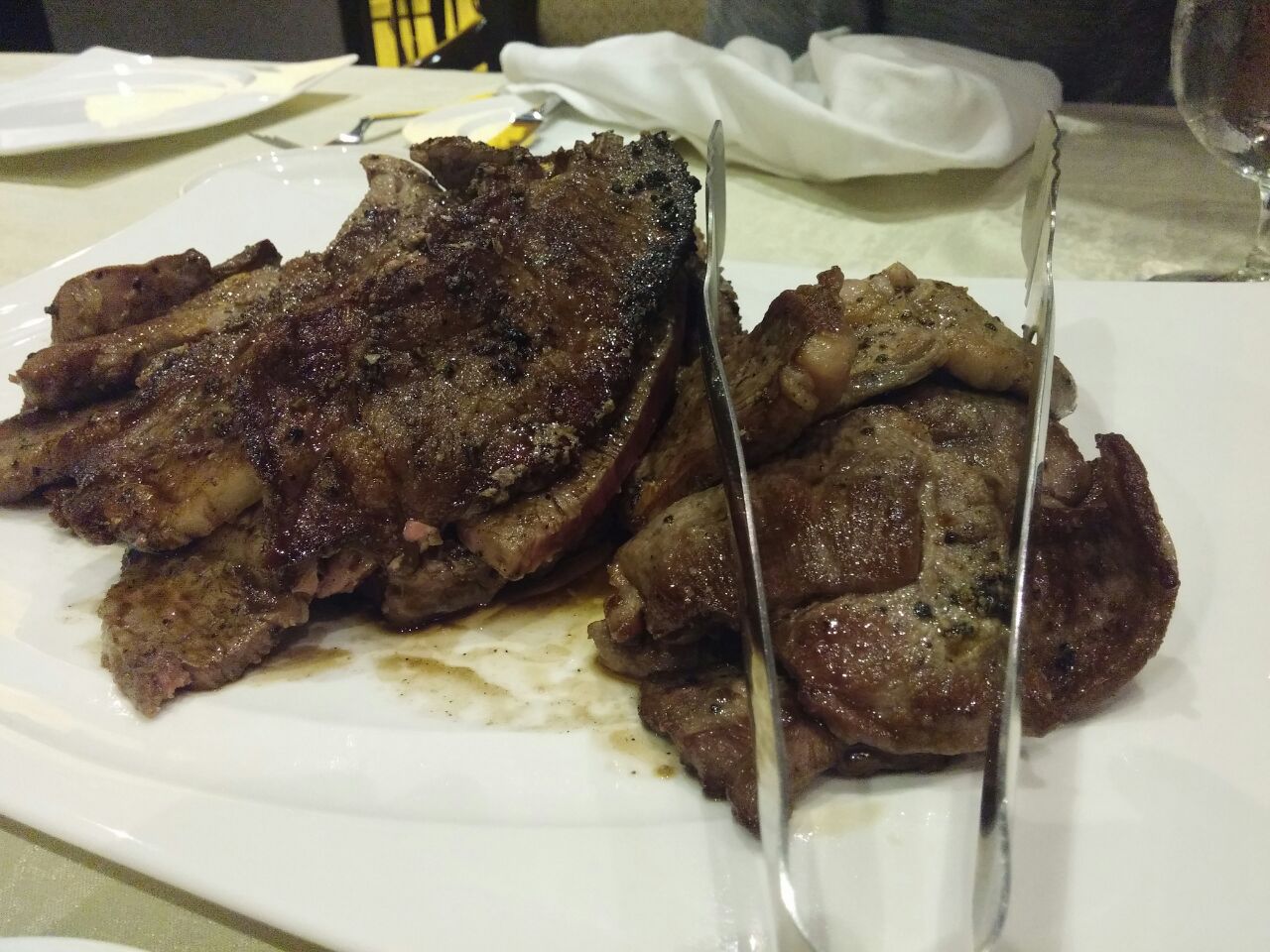
Meat platter at Impressions @ Maxims hotel
The steak at Impressions was too salty while the lamb was very enjoyable when eaten with the mint jelly sauce. The mint jelly sauce’s flavoring is a bit sour, which played the role of pantanggal-umay in my mouth. It’s hard to find the French duck in the platter, but they tasted great! They were the ones sliced into small pieces.
My favorite grilled foods that night at Impressions were the French duck, the lamb with mint jelly, and the prawns.
3 of our friends LOVE prawns so they ordered a new platter of it. It arrived much earlier than the 2nd batch of platters that we ordered waaay earlier.
So… I mentioned that we ordered the next batch of platters right after the first batch was served. We sat there at the table at Impressions for about an hour waiting for that second batch. Impressions call this “unlimited servings” of various grilled foods but it seemed to me like they were stalling the serving of foods on purpose so that they would not run out of food supply.
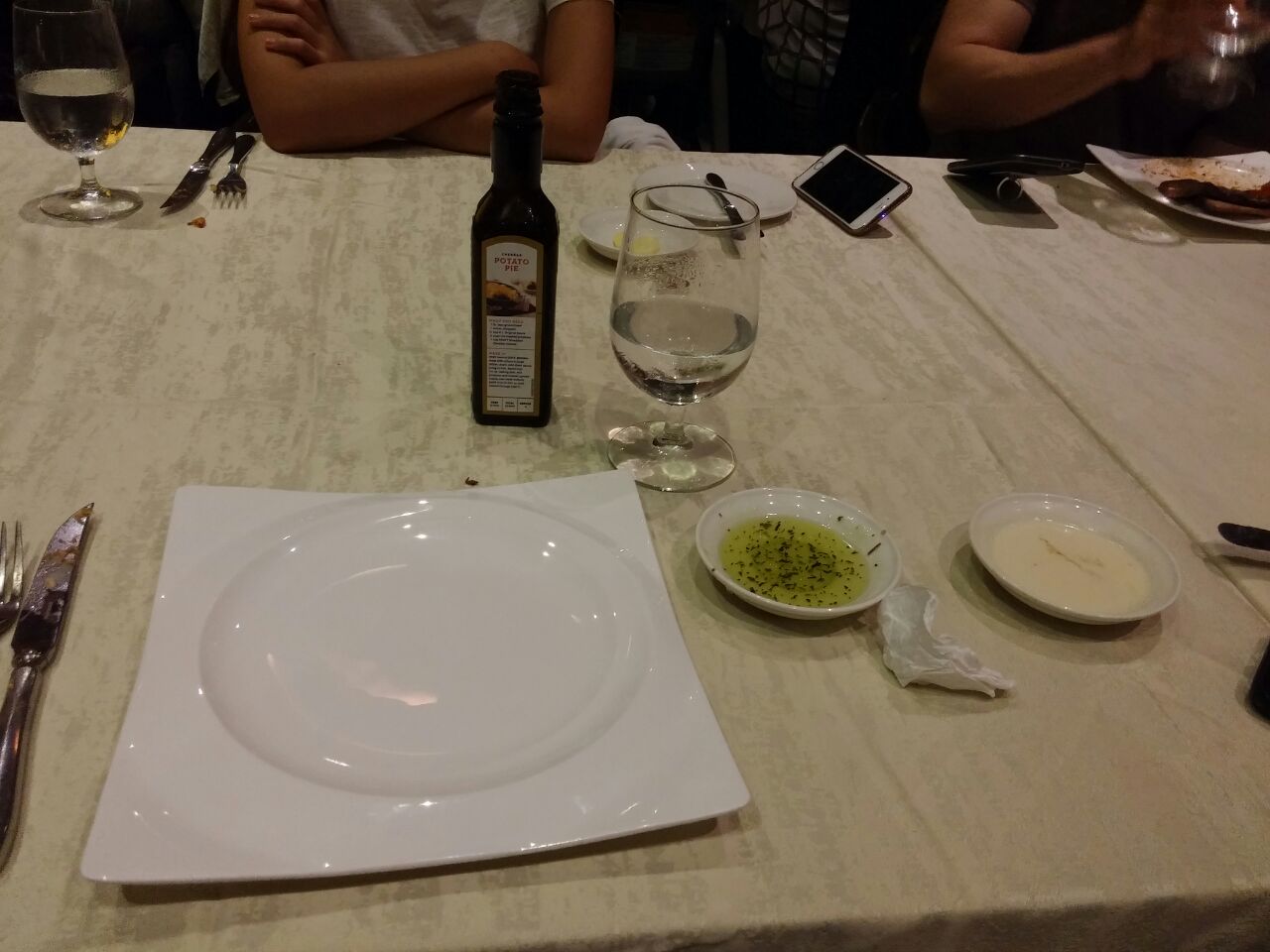
Our lonely dining table at Impressions at Maxims Hotel. It’s almost an hour of wait plus several follow-ups until they served the 2nd batch of grilled foods. Akala namin unlimited grill ito? :p
There’s no more photos of the dining area after that because I was no longer in a good mood. I ordered a glass of lemon iced tea and that took a long while plus follow-ups to be served too. 🙁
After a decade, the second batch of grilled platter was finally served by Impressions but to our dismay, the steak that we ordered medium-rare was rare and very hard to chew. Of course, we requested that they send it back to the kitchen and have it cooked longer but it was so frustrating because we waited so long for that, only to find that it’s undercooked.
Obviously, I’m not coming back to Impressions at Maxims Hotel anytime soon. When I dine at restaurants, especially when considered “fine dining” restaurants, I expect to enjoy the ambience and get good service so I can relax, instead of getting stressed out waiting for almost an hour for food that they label as “unlimited”.
This Facebook post from Impressions says “Delight in unlimited servings of grilled lamb chop, rib eye, duck breast, salmon, tuna, prawns and more with Impressions’ Grill All You Can!”
Impressions should stop calling it unlimited when they just plan to stall the servings of food on purpose.
There are times when I keep running git status or git branch to check which branch I’m on and I just found that I could do something to show the name of my current Git branch on my Terminal prompt, thanks to a colleague.
In the following screenshot I’m working in the directory “sample_app”, on Git branch that is named “static-pages”:
In Ubuntu, here’s how I did it.
Create .bash directory in Home: mkdir ~/.bash
Go to the new directory cd ~/.bash
Clone the git-aware project from GitHub: git clone git://github.com/jimeh/git-aware-prompt.git
Edit your .bashrc file. I use Vim editor for this: vim ~/.bashrc
Add the following to the top of your .bashrc:
1
2
export GITAWAREPROMPT=~/.bash/git-aware-prompt
source “${GITAWAREPROMPT}/main.sh”
If you want colored prompts, add the following to the bottom of your .bashrc:
Open a new Terminal tab or restart Terminal. Navigate to any directory that has a Git repository and your Ubuntu’s Terminal prompt should now show the current Git branch’s name.
I need to learn Ruby on Rails for my new job. I’m a little thrilled about this chance to learn a new language, and I’m trying to get started with it on my Macbook which runs OS X El Capitan 10.11.5. I already have Ruby here, I don’t remember if pre-installed though. It’s out of date and I wanted to upgrade, as this resource Getting Started with Rails recommends version 2.2.2 or higher.
First step I took was to get RVM (Ruby Version Manager): curl -sSL https://get.rvm.io | bash -s stable --ruby
Then I received this message:
” * To start using RVM you need to run source /Users/catzie/.rvm/scripts/rvm
in all your open shell windows, in rare cases you need to reopen all shell windows.”
And so I ran: source /Users/catzie/.rvm/scripts/rvm
Then: rvm install 2.4
Which returned this message:
Already installed ruby-2.4.0.
To reinstall use:
rvm reinstall ruby-2.4.0
Finally, I ran this: rvm use 2.4 --default
My next step was to install SQLite3 on my OS X as per instructions found here on SQLite – Installation.
I got this message after following the instructions:
SQLite version 3.17.0 2017-02-13 16:02:40
Enter “.help” for usage hints.
Connected to a transient in-memory database.
Use “.open FILENAME” to reopen on a persistent database.
sqlite>
Not that I remember exactly what the NBI Clearance renewal/application was like when I last tried to get one (4 years ago) but I can say that the current process is not so bad because Step 1 (filling out the application form) and Step 2 (payment) can already be done online.
After completing the online processes, you may then visit any NBI Clearance branch to go through Step 3 (biometrics scanning) and Step 4 (release). Of course, you may also do Step 1 and 2 right there in the NBI Clearance branch too, but I highly recommend that you do it online to avoid an even longer waiting time. Those who do not have Internet access at home may use computers at the main branch in United Nations, Manila for free.
By the way, NBI Clearance is one of the requirements to get a Postal ID so you might as well look into applying for it. We applied for our Postal ID at SM North EDSA.
If you plan to apply for NBI Clearance at Robinson’s Place Ermita branch in Manila too, scroll down and check out my Step 3, because I’m going to show a few photos of what that NBI branch looks like. 🙂
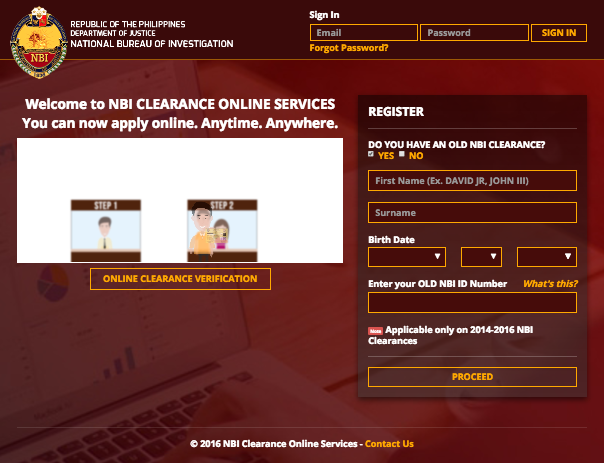
First thing you need to get a new or renewed NBI Clearance online is to get an account at nbi-clearance.com. Login if you already have one, or register if you don’t have any yet.
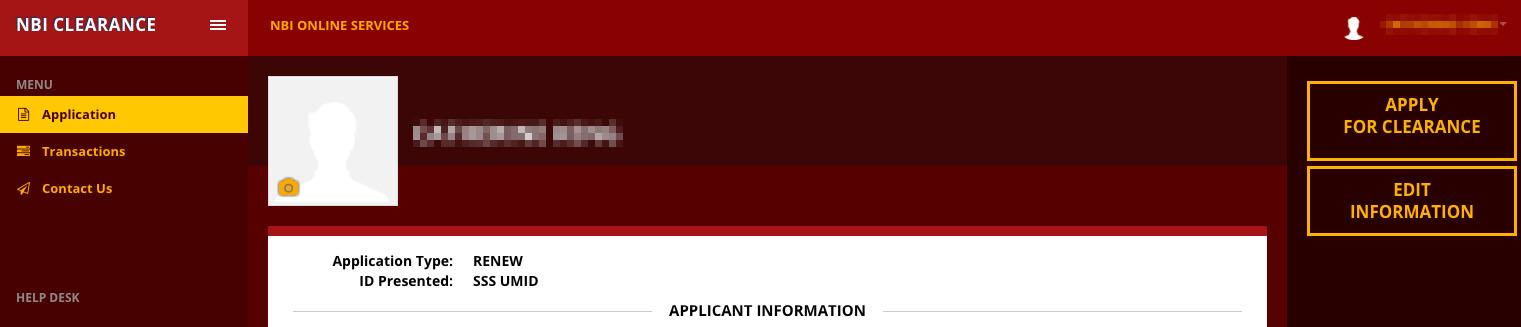
Fill out all necessary details then when you see the screen below, click on “APPLY FOR CLEARANCE”:
“Application” page of NBI Clearance online registration
Enter the name of the ID that you will show the NBI staff when you go to their branch, for example “SSS UMID” or “PSA copy of birth certificate”. I was surprised that the NBI staffs did not ask for any ID when we renewed our NBI Clearance. Could it be because they’re not strict about renewals?
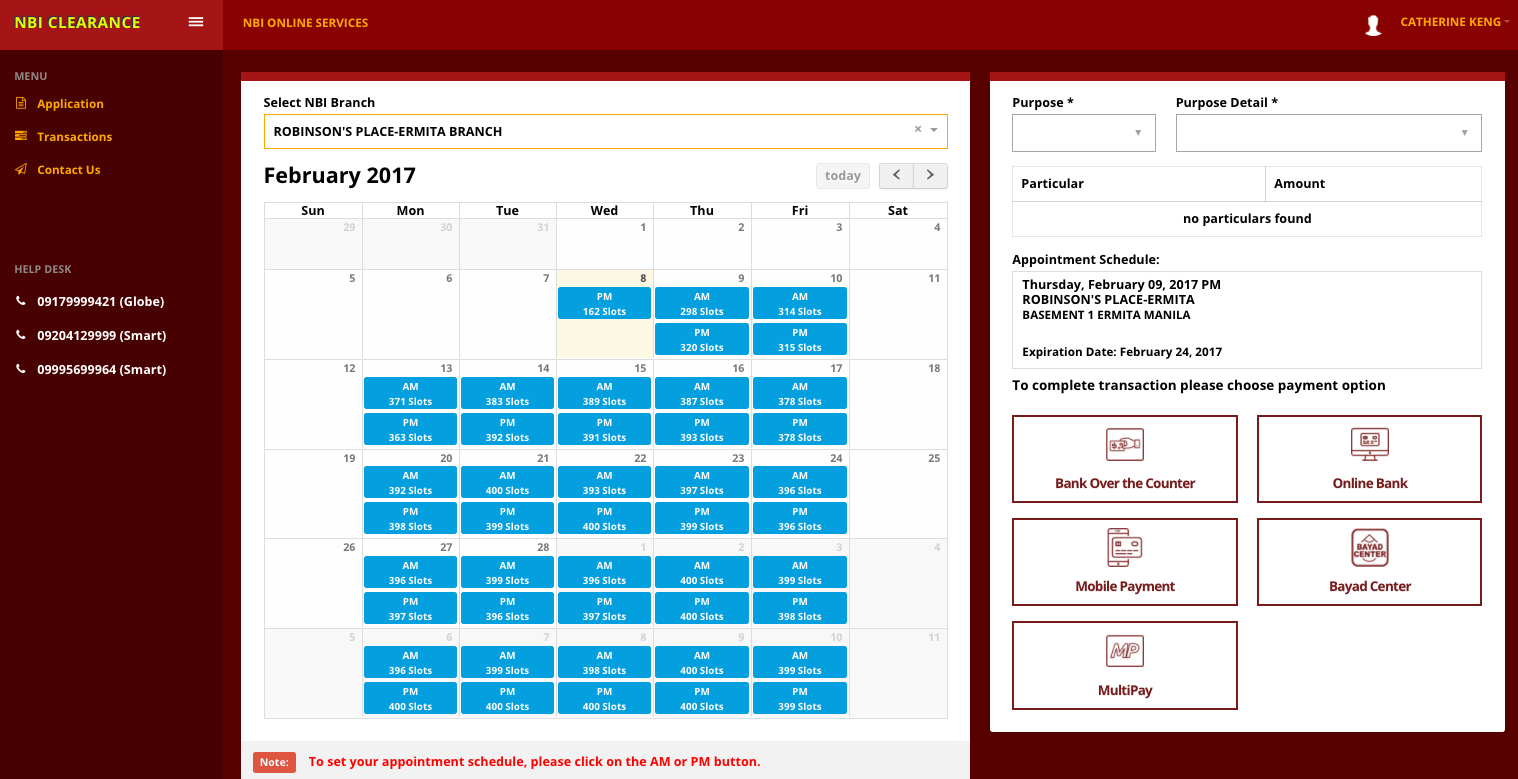
Then you will reach a page with a calendar – it’s the NBI Clearance appointment system.
Appointment schedule calendar at nbi-clearance.com
If you choose AM, you may go to the NBI branch of your choice any time before noon. And if you choose PM schedule, you may arrive anytime after noon before the closing time of your NBI branch, which in my case at Robinson’s Place Ermita was 5PM. The NBI Clearance branch at Robinson’s Place Ermita is located at Basement 1 or “Basement Parking”, which is reachable via a stairway beside National Bookstore (Enter via Sta. Monica Street or Padre Faura entrance.
You’ll notice that there are less remaining slots for AM schedules than PM, but the difference is not significant.
Step 2: Pay online for you NBI Clearance
My mom and I renewed our NBI Clearance for “local employment” and “ID purposes” and each costed us P140. The base price is P115 for the NBI Clearance only, and added to this is additional P25 fee for online payment.
Instructions for online payment:
A payment page will open. Select preferred ONLINE BANKING OPTION then follow instruction.
You will be provided a REFERENCE NUMBER.
Pay your fee to the selected Payment Channel using your REFERENCE NUMBER.
Go to TRANSACTION PAGE and print Application Form.
Initially, I was trying to pay for my NBI Clearance application via online banking at 11:31PM. But I couldn’t proceed with payment because according to the NBI Clearance online system, online banking payment is only available until 11:30PM daily! It was frustrating because it was only a minute past the cutoff. I was able to pay the next day without any problem anyway.
By the way, you should enter your “reference number” as “remark” on your online money transfer. Enter nothing else aside from the reference number.
Step 3: Fall in line at your NBI Clearance branch for biometrics, Robinson’s Place Ermita in my case
The branch that we chose for our NBI Clearance application is Robinson’s Place Ermita in Manila City. If Robinson’s Ermita is the same branch you’d like to go, then I can show you a few photos.
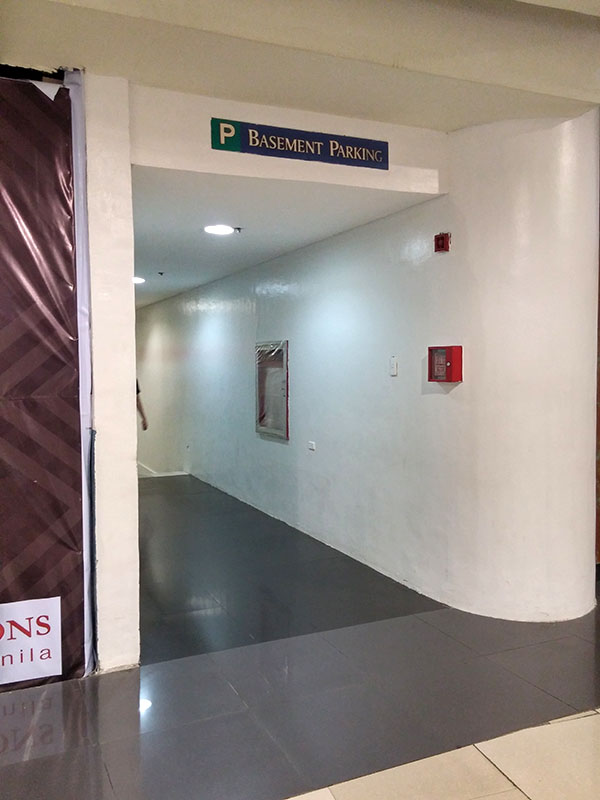
This is the entrance to the Basement Parking. Find it beside National Bookstore near Padre Faura or Sta. Monica entrance:
Entrance to the basement of Robinson’s Ermita, Manila. Downstairs is where you will find a NBI Clearance branch
If unsure, don’t hesitate to ask someone at the information booth about the location of NBI at Robinson’s Ermita.
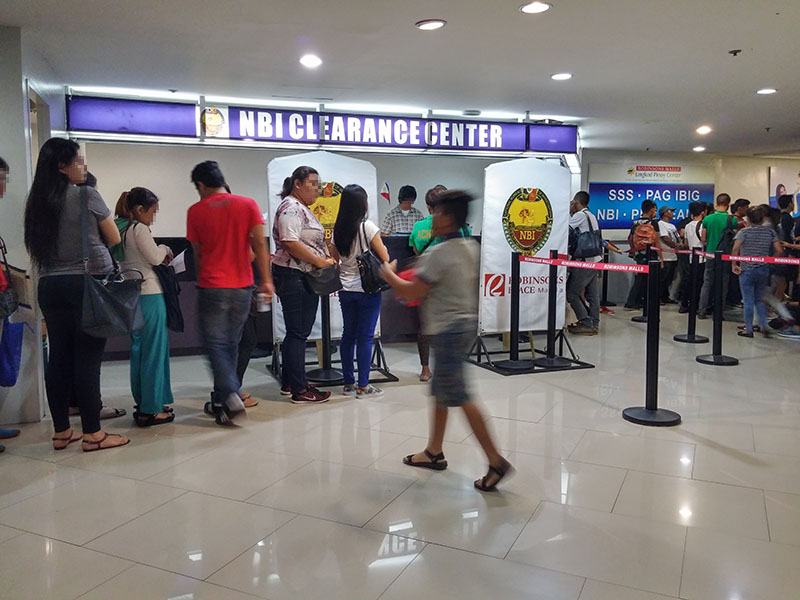
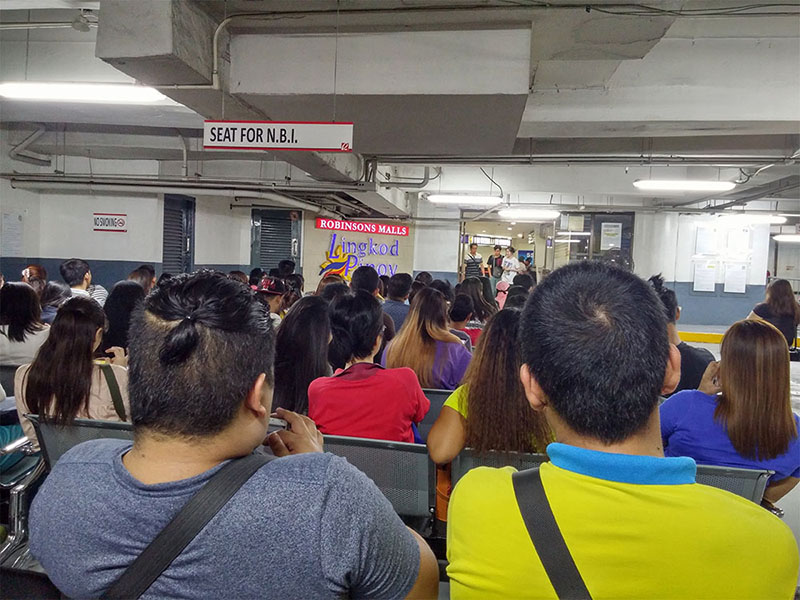
Feb. 6, 2017 (Monday) at 2:20PM – Long queue at Robinson’s Ermita for NBI Clearance application
Once you are downstairs at Robinson’s basement, you’ll see that this area is “Lingkod Pinoy Center”. Some of the other government services you’ll find there are for SSS, Philhealth, and Pag-IBIG.
Ask a guard where you should fall in line after registering and paying online. The guard should ask you to enter the parking area and find the queue (there are seats!) for NBI Clearance. What you are actually going to fall in line for in that area is the NBI Clearance Center’s biometrics scanning.
A guard will call 2-3 rows at a time for another queue, closer to the biometrics scanning counter. At first, the progress was quick. Each batch of about 30 people were done in 10 minutes. But when it was nearly our turn, instead of 10 minutes waiting after the previous batch was called, we were called 40 minutes after! 🙁
When our batch was called to fall in another line, it was in this place:
Queue in NBI – Robinson’s Ermita branch for biometrics
There were no seats here, but the queue should be processed quickly because the NBI staffs at the counter — though a bit mean when dealing with some applicants, move very quickly. Maybe there was technical problem earlier, that’s why our batch took 40 minutes to be called instead of 10 minutes. There are 2 biometrics capture counter, but you fall in only 1 line. Whichever counter finishes with an applicant first will call on to the next one in line.
And oh, I hope you don’t get discouraged in choosing Robinson’s Ermita as your branch just because I said that the staffs were kind of mean. In my experience in getting an NBI Clearance (this was my 3rd time), the NBI staffs who attend to biometrics are always intimidating no matter which branch it is. I understand that it might be due to stress though. We can only imagine how many applicants they handle everyday.
Observe the people before you – do they present any ID to the staffs with their application forms? In our case, none of the people who went before us presented any ID — only application forms. If you see the same thing then hand over your application form to the NBI staff and simply prepare your valid ID for easy access, just in case the NBI staffs as for it.
The NBI staffs capture biometrics data such as finger prints (all fingers), signature, and photo — all in digital form! Hurray for using technology. 🙂
Step 4: Release of NBI Clearance
To the left of the 2 NBI biometrics counters is the “RELEASE” counter. Go straight there UNLESS the person who assisted you at biometrics counter said you need to come back at a later date to claim your NBI Clearance — this means you got a “hit”. A hit means your name matched another person with the same name and NBI needs more time to verify if you have a clear record with them.
“Hit” me baby one more time! Story of my adult life: I can never get my NBI Clearance in one visit to an NBI branch.
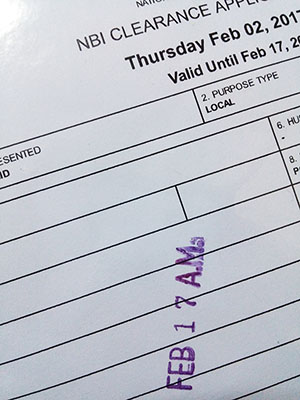
I applied for NBI Clearance on Feb. 6 (Monday) and can only claim it on Feb. 17 (Friday) — that’s a total of 11 days! The heck?
You see, I know someone with a very unique foreign-sounding name and yet he got a “hit” with NBI! We were thinking, what if getting a hit doesn’t really mean you have the same name as someone else, but the NBI staffs just don’t feel like releasing your NBI Clearance right away? Or what if it’s NBI’s way of reducing printout loads during busy days?
The things I liked about the current NBI Clearance process are these:
NBI Clearance application/renewal can be partially done online, reducing the time we need to spend falling in long lines in NBI branches
Availability of NBI Clearance payment via online banking such as BPI Express Online, BPI Mobile Banking, BDO Online Banking and more.
And of course, because I like complaining: Things I hate about the current NBI Clearance process as of February 2017:
NBI staffs that capture biometrics data are mean and intimidating, at least in the NBI branch at Robinson’s Place Ermita. I think that if they smiled more, it will be a win-win situation: applicants will feel more “at ease”, and the NBI staffs themselves will somehow feel good to because I think that smiling — even when a bit forced, can help one feel relaxed.
Unexpected long waiting time before biometrics data capture
Being employed in the Philippines requires that we contribute to Home Development and Mutual Fund (HDMF) / Pag-IBIG Fund. If you are about to be employed and had been previously employed with another company, your new employer might require you to submit Pag-IBIG Contribution Printout as one of their pre-employment requirements.
As of this time, you won’t be able to check your Pag-IBIG contributions online (unless you’re an OFW who is contributing to Pag-IBIG Fund) but what you should to for your Pag-IBIG Contribution Printout is go to the Pag-IBIG branch where your records and contributions are being kept. Now, the next question is how do we know which Pag-IBIG branch is keeping our contributions? Follow my steps.
How to get Pag-IBIG Contribution Printout
Verify the branch location where your current employer is sending your contributions. You have 2 options:
Ask your HR for the Pag-IBIG branch location, or
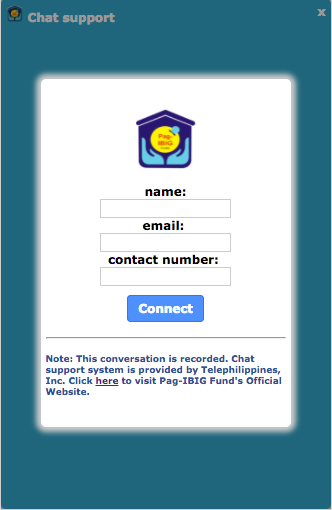
Ask a Pag-IBIG Member Relations Officer via online chat for your “contributions details” which should include your branch location How to inquire about basic contribution details via Pag-IBIG Fund Chat:
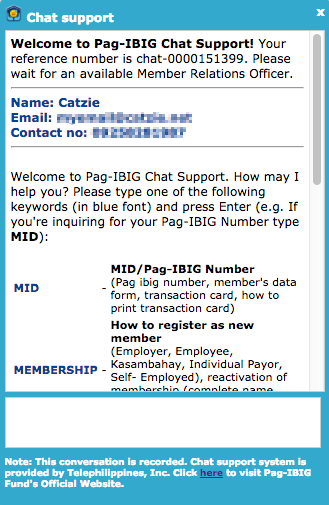
Once inside the actual chat page, type CONTRI and press Enter key. The chat page should look like this:
The Pag-IBIG chat system will automatically ask for the a few details. Simply type your response and press Enter key for each question, just like when you’re chatting with a person 🙂 These are the required Pag-IBIG details from you: Full Name (including Middle Name), birth date, previous employer, current employer, and Pag-IBIG Number.
Once you provided the necessary details, a member relations officer will be there. He/she will provide to you the basic details of your Pag-IBIG Fund contributions, like this:
Member Relations Officer (10:21 AM): Thank you for patiently waiting. Kindly refer below for the details of your contributions:
YOUR CURRENT COMPANY
22 Monthly Savings from 201504 – 201613
MAKATI II Branch
YOUR PREVIOUS COMPANY
21 Monthly Savings from 201307 – 201503
MAKATI II Branch
Member Relations Officer (10:24 AM): Do you have further questions or concerns Ma’am?
Now you know the Pag-IBIG branch where you need to get your Pag-IBIG Contribution Printout, which is “MAKATI II Branch” in our example above. If you’re not sure about its exact address, simply ask the Pag-IBIG member relations officer for it.
Don’t forget to thank the Pag-IBIG member relations officer for assisting you! 🙂
Go to your branch to request a Pag-IBIG Contribution Printout
Now that you are sure of which Pag-IBIG branch is receiving your contributions, go ahead and visit that branch to request a Pag-IBIG Contribution Printout. If like mine, your Pag-IBIG Fund remittance is in Makati II branch, go to Justine Bldg. along Gil Puyat (Buendia) Avenue. Go to the Information Center at the ground floor to get a printed queue number. Wait for your number’s turn on the screen. You will be served at one of the following counter numbers: 4, 5, 6, or 7.
Other notes
Pag-IBIG Contribution Printout is also known as “Employee Statement of Accumulated Value” or ESAV. This printout shows the member name, Pag-IBIG ID number, TIN, employer ID, employer name, employer address, membership type, number of contributions, currency, employee contribution, employer contribution, “dividends”, and of course, the total accumulated value.
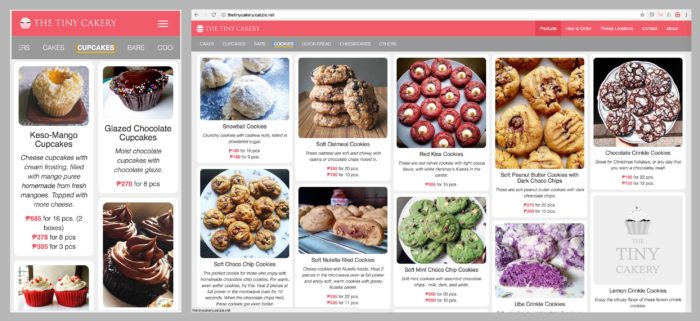
When I’m not busy tapping codes on my keyboard, I either watch anime or bake. And there’s this “tiny” baking business in Manila I’m running, and really have a good time baking for people – friends, family, and even people I haven’t met prior to handing over their ordered desserts. Last year I launched the official website: The Tiny Cakery, reaching my goal of completing it before year 2016 ends.
Coding it wasn’t easy to me. It’s mostly front-end coding and the masonry grid layout gave me a lot of problem, and combining it with Slick Carousel did not make things simpler due to some conflict.
Here’s an Instagram video demo of what it looked like shortly before I launched the site:
It’s not a high-income business — no, it’s not even a medium-income business. I barely make anything with my The Tiny Cakery income. But I really like what I do there and I like the feeling of fulfilment it provides, so I keep doing it. The time when I needed to upload a price list came due to increased number of price inquiry, and I prepared a one-page website for it last year with a price list being its major component. I knew I had to develop a better website, with product grid including photos that will make people drool (lol), and more informative pages so they know right away how to order.
I worked on the official website later last year in 2016. I won’t call it a “version 2.0” of the older website because I don’t really consider that “price list website” its “official website”.
Next step would be a “baking schedule” calendar where customers will see which days I will be baking the goods, and which days are available for booking a pickup on what available locations in Metro Manila. And after this, I want to add an “Add to Cart” feature, initially with manual payments. I believe that even with manual payments, this will make our lives easier. Instead of long chats with customers, they can simply go to the site, select desired products, select date and time of pickup, and then confirm it with me. After that, they confirm orders by downpayment (standard procedure) and then meet up with me on the set schedule.
Hoping 2017 brings us more freshly baked homemade desserts by The Tiny Cakery, and more convenient ways to order with the help of technology. <3
Before I began coding Android apps, I was amazed how verification processes go like this: The Android app tells you they’ll send you an SMS containing verification code, and that you need to enter such code into a text field on the Android app. But when you receive the SMS, the verification code appears on the text field before you even type! I was like, whoa, how do they do that?
Now that I am able to develop simple Android apps, I already have an idea how it’s done.
We extend a class called BroadcastReceiver and implement its onReceive() method. This receiver is then registered either in the AndroidManifest.xml file, or registered as needed in a .java file (e.g., Activity)
I’m registering mine in my MainActivity file. I’ll provide the link to my project files on Github later on this page, but for now here’s what it looks like:
I first created a class called SmsReceiver which extends the BroadcastReceiver class that I mentioned earlier. Inside it, there’s an implemented method onReceive(), where we first check if the Intent’s action is android.provider.Telephony.SMS_RECEIVED, otherwise we do nothing. We read message(s) that the Android devices just received and get the originating address (e.g. phone number of sender) and message body. Then lastly, the TextViews in the XML file are updated with the originating address and message body so you could see that thea app works.
By the way, I used a Handler in this app so that I could set the values of TextViews inside the MainActivity’s XML file. A new Handler object is passed from MainActivity.onCreate() to the SmsReceiver constructor. And later on once the message originating address and message body are available in BroadcastReceiver.onReceive(), we use the handler to “post” and set the TextView values.
Today I had a directory of images whose file name extensions are .jpeg. I need them as .jpg but I didn’t want to rename them one by one.
Here’s how we can change the file extensions in a directory by batch. And by the way, I am on Mac OS El Capitan version 10.11.5 with Homebrew package manager.
First, open your Mac’s Terminal.
Type the command rename just to check if you have it installed in your system. If the Terminal displays usage instructions on rename then you already have it.
If rename is a command not found, then install it via Homebrew using this command:
1
brew install rename
Once the rename command is available, navigate to the directory where your files that need new extensions are.
Then edit the following command to suit your needs before running:
1
rename“s/jpeg/jpg/”*.jpeg
The syntax for this is actually rename "s/OLD_EXTENSION/NEW_EXTENSION/" *.OLD_EXTENSION
Cedula is a requirement for a place that I’d like to rent. To me, it’s not easy to get because the barangay hall near my address (Santa Cruz, Manila) doesn’t issue Cedula, and the city hall is not close enough to my house for me to avoid being absent from work. I’m assuming city halls only operate on weekdays. I might update this post when (or “if”) I am able to go to Manila City Hall to get Cedula. If I don’t update it, either I submitted a different tax-related document for the place I’m renting, or I totally forgot. Hehe!
Our barangay hall does not issue Cedula
For a couple of days I planned to ask someone at the barangay hall on my address’ street if they issue Cedula, but always failed to stop by because I was too shy to approach the men standing by the entrance to the barangay hall. I have no idea whether they’re barangay officials who are dressed very casually, or just bystanders (tambay). 😆
Maybe you think it’s weird that I’m wondering if the barangay hall is issuing Cedula. Well, that’s because that barangay hall on our street looks a bit shady. Its entrance is placed along a dark, narrow street (eskinita) with numerous men standing by the entrance. And that barangay hall is very tiny… it could be just around 15 square meters, or even smaller! And all around that barangay hall, there are many catcallers (mga nambabastos ng babae sa kalsada).
Today I knew I had to muster up some courage to go there and ask someone no matter what. And I did stop by our barangay hall. Aha! There was only one guy sitting by the entrance. I asked him if he knows if that barangay hall issues Cedula. Lucky, it looked like he is an official, or at least affiliated with the barangay so he knew the answer. Sadly, the answer is NO, the barangay hall on our street does not issue Cedula, just like I thought. He told me I should go to the Manila City Hall to get my Cedula, and said sorry. I thanked him as I left the narrow street… with my anxiety kicking in. Ugh! Now I have to be absent from work for at least half a day to get my Cedula. 🙁
Getting a Cedula at Manila City Hall
For now, I’m refering to this blog post getting my cedula @ manila city hall. Thanks to the author for sharing her experience, at least I have an idea what to do should I go to Manila City Hall to get my Cedula.
Update, November 20, 2016: I went to Manila City Hall 2 days ago (Friday) to get Cedula. There are 2 types of Cedula: class A and class B. Class A is for employed, while class B is for unemployed. The staff asked me to fill out only the following fields: full name, birth date, birth place, address and my signature. He didn’t ask for my income, and charged me 68 pesos total. But he printed my name in wrong spelling, even my street address is in wrong spelling. I’m pretty sure I spelled those out correctly when I filled out the form. Manila City Hall should instruct their staff to properly copy words exactly as filled out by citizens! Ugh. The thing is, I only noticed the incorrectly spelled name when I was already home. Now don’t go blaming me, I woke up extra early that day and was feeling sick and groggy, so left Manila City Hall right after I took a glance at my Cedula. What a waste of time. I hope my Cedula still gets accepted by the company who requested it. There’s only one missing letter in my name anyway. 🙁


 Next step would be a “baking schedule” calendar where customers will see which days I will be baking the goods, and which days are available for booking a pickup on what available locations in Metro Manila. And after this, I want to add an “Add to Cart” feature, initially with manual payments. I believe that even with manual payments, this will make our lives easier. Instead of long chats with customers, they can simply go to the site, select desired products, select date and time of pickup, and then confirm it with me. After that, they confirm orders by downpayment (standard procedure) and then meet up with me on the set schedule.