Victim blaming. How are we able stand it? Blaming the victim to find an excuse for the act an offender has done… It’s stupid and needs to stop.
Warning: Crude words may be present in this page.
I don’t know if it’s part of Eat Bulaga’s script or it’s actually his opinion but Wally Bayola, while playing Lola Nidora in the noontime show Eat Bulaga in the Philippines, said things that implied that women are to blame when they are harassed in the streets.
Bayola was saying something along the lines of: (more…)
Say Aaaah!~
Taste this soft, moist red velvet cake. It’s made from the Duncan Hines red velvet cake mix.
I liked this product, but I won’t use it regularly because I like making cakes from scratch. The cake was also a bit too fluffy compared to all red velvet cakes I tried before. Still, my first experience in using a boxed cake mix is reason enough to write this Duncan Hines red velvet cake mix review. (more…)
In the morning, I sometimes forget the time I log into the time-tracking system in my workplace so I stay a bit longer to make sure I don’t get an “undertime”.
I thought that my computer at work could help me with this issue somehow. I hoped there was a Windows program that can record the dates and times I turn my computer on. I tried searching for an application like this on Google but couldn’t find any, and wasn’t sure what keywords to search for. (^_^) Someone suggested that I make a Windows Batch File. And so after some web search I came up with this Windows Batch File, which I will later set up to be run each time Window starts.
This Windows batch file doesn’t tell me exactly what time I came into the office, but it helps, because it logs the date and time I turned my computer on. And turning my computer on is the first thing I do on my office desk. 🙂
What is a Windows batch file?
How does this Windows batch file work?
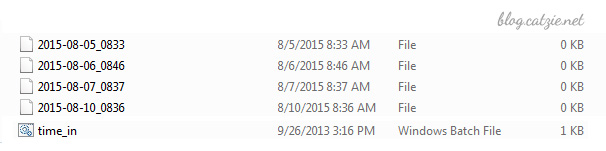
The Windows batch file is run every time Windows starts, and each time the file is run, it gets the current date and time then saves it into a file. Each time Windows starts, it creates one file with the date and time.
Like I said, turning my computer on is the first thing I do when I arrive at the office, so the time in the text file written by the program gives me an idea of the approximate time I came in.
Here’s a preview Save files with current date and time with Windows batch fileof the results:
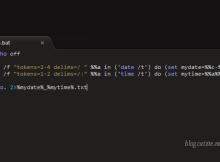
How to make a batch file that logs current date & time when Windows starts
Before we begin, please note that I implemented this in a Windows 7 machine.
Create a folder where you’d like the files to be created. Name it anything you like. I named mine “Time-in” since I’m using the batch file to estimate the time I come into the office.
Open a text editor such as Notepad.
Copy the following codes and then paste it into Notepad.
Save it into the folder you created as “time_in.bat”
Now, go to that folder and right click on the icon of “time_in.bat” then choose “Create Shortcut”.
You’ll now see a new file “time_in.bat – shortcut”. Move that shortcut file into your Windows’ startup folder. My Startup folder is in C:\Users\MyUserName\AppData\Roaming\Microsoft\Windows\Start Menu\Programs\Startup so try looking for yours there.
With what we have done, a file named with current date and time should be created in your folder each time you start Windows.
Some notes when using this Windows batch file
You will eventually have a folder with a large number of files because our batch file creates one file per Windows startup. Please find a way to manage those files. You may move older files into an archive folder, or you may delete older files that you no longer need.
Another note if you’ll use the batch file to track your office time in the morning like I do: the batch file will not create any file if you just hibernate your computer before leaving work instead of shutting down. This is because the “startup” only happens when you start Windows, and this does not happen when you wake your Windows up from hibernation. Possible solution for this may be creating a task in the Task Scheduler of Windows, making the “on wake up” the “trigger” and pointing to the batch file to let it execute. The following settings are what I’ve tried and nothing has worked yet so far… so maybe some of you may come up with a solution that will work. 🙂
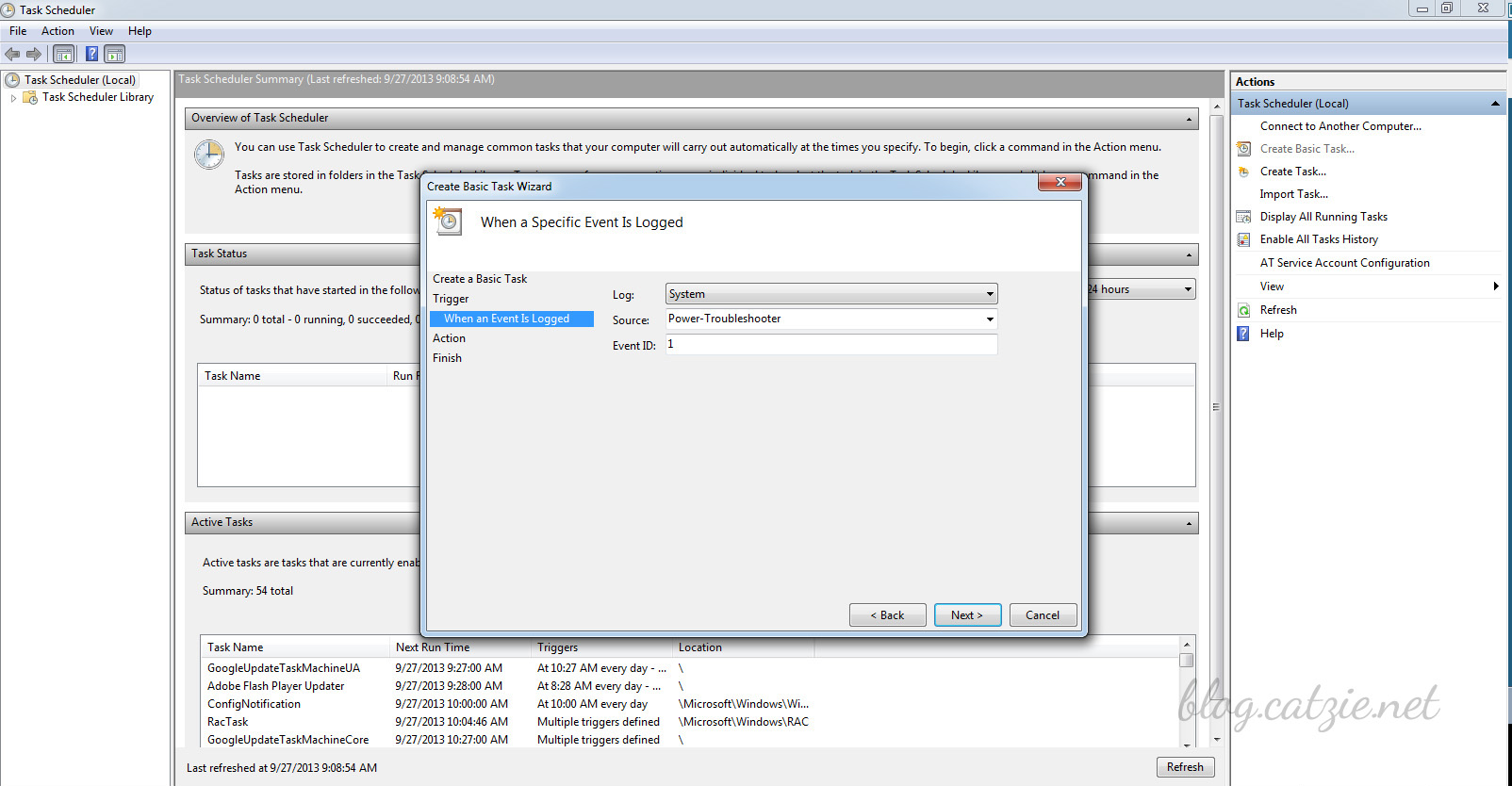
Task scheduler in Windows 7 for the batch file
Go to Task Scheduler
Create Basic Task
Fill out name and description
Start the task when a specific event is logged
Log: System
Source: Power-Troubleshooting (or try Kernel-Power with Event ID 42, or try Kernel-General with Event ID 1)
I usually post in English, but this will be a mix of English and Tagalog. I’m writing this to let people know of a way to somehow shorten the lines for ticket booths at LRT-1 Northbound. It seems that not every passenger knows about the “Modified Coupon System”. Pa’no ba naman, hindi kapansin-pansin yung posters nila tungkol sa bagong system. Wala man lang ibang form of announcement.
LRT-1 Beep Card Update:
Pwede nang gamitin ang Beep cards at any LRT-1 station, Northbound man o Southbound! I’ll try to keep updating the post about my LRT-1 Beep card experience when there’s anything new to add. 🙂
If you take a Northbound LRT-1 train every night like I do, then you’ve experienced the very long lines just to buy a coupon (ticket). The coupons are being used because the Beep card system has not yet been implemented for Northbound trips of LRT-1.
Paano nga ba mababawasan ang pila sa LRT-1 Northbound?
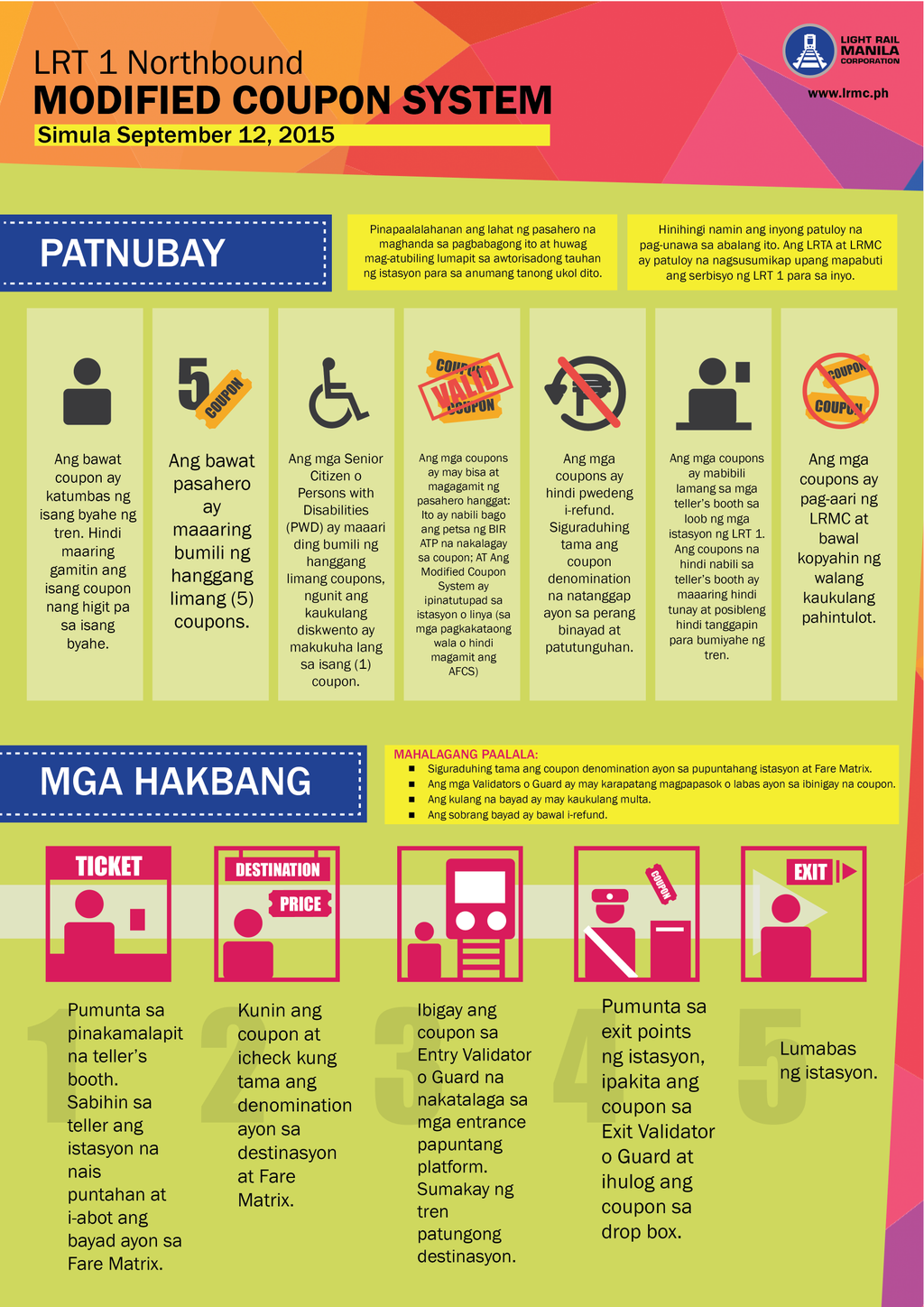
Pwede na tayong bumili ng hanggang 5 coupons per transaction, thanks to this temporary “Modified Coupon System” for Northbound LRT-1 trips.
Meaning, the next few times you have to take an LRT-1 train Northbound, you proceed straight to the platform area, past the long line of people who are just about to buy their coupon. UNLESS may pila sa platform area dahil sa “Passenger Limit per Platform” scheme nila.
Kung may pila man dahil sa limiting of passengers, I think it’s okay. At least we skip the long lines for the ticket booths.
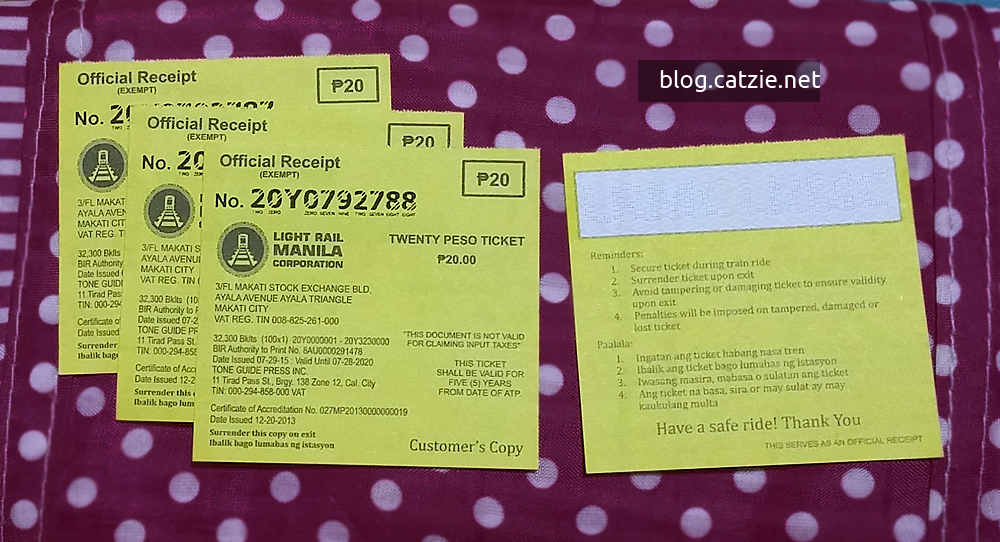
LRT-1 20-Peso paper ticket (coupon).
Honestly, when I read about this new system, medyo nainis ako. Ang impression kasi sa akin, mapapatagal pa ma-implement ang Beep card system sa Northbound side ng LRT-1.
My game plan for my nightly Northbound LRT-1 trips
Note: Five times per week, I take a Northbound train.
Every Monday morning, I’ll go to the Northbound side of my LRT-1 station just to buy 5 coupons. Less hassle ito, kasi maikli lang usually (and relatively) ang pila sa ticket booths pag umaga. 🙂
Tapos ayun, having 5 coupons every Monday, I’ll have enough coupons hanggang Friday na, para sa gabi-gabi kong pagsakay sa LRT papuntang North.
Mas okay kesa gabi-gabing pipila sa ticket booth diba?
Alternative on Mondays: Minsan may kahabaan din ang pila sa Northbound pag umaga, so pwedeng every Monday night pipila tayo para bumili ng 5 coupons. :3
Pa-kwento lang ha…
This week I noticed a new poster at an LRT-1 station pero hindi ko gaano mabasa kasi sa super babang part ng dingding ba naman dinikit, natatakpan ng legs ng mga passengers na nakapila sa ticket booths. So hinanap ko sa Twitter ni @attycabs and @officialLRT1. Found it! Heto siya:
Modified Coupon System for LRT-1 Northbound. To view in full size, right-click above image (or press and hold if you’re on mobile / tablet) then click on “open link in new tab”
Then I asked LRT-1 staffs, just to confirm, if I could go straight to the platform area for as long as I have extra coupons. I was in doubt because there was one night when I think I heard a guard telling a lady that she still needed to fall in line even when she already had a coupon. That was before I saw posters of the “Modified Coupon System” at LRT-1 Northbound stations though.
So tonight, I took a little detour. Dumaan muna ako sa mall na kadikit ng LRT-1 station na sinasakyan ko. Yung top floor kasi, may exit na diretso na sa entrance to the platform. Tinanong ko muna yung guards, “Pwede na po dumiretso sa loob? May ticket na po.” And they said, pwede na.
It was a less stressful evening. Di na ko naging parte ng mahabang pila papuntang ticket gates. Swerte din dahil walang pila sa platform area sa station ko. Try niyo na rin! 😀
In August, a companion and I wanted to get away from the city during a long weekend. We didn’t want to go somewhere too far from Manila, and were looking for just a little adventure in the trip.
Because of that, we decided to go to Subic Bay Freeport Zone. 🙂 I’m going to include a Subic Park Hotel review in this blog entry, as well as a list of places that we visited in Subic. It was a fun, unforgettable Subic trip to me. Mostly because of Zoobic Safari and Xtremely Xpresso Cafe.
Without a car, we either walked (we like walking!) or took a cab (all rates are fixed per destination). Places we visited were Zoobic Safari, Xtremely Xpresso Cafe, Meat Plus Cafe, Freeport Exchange, Duty-Free Puregold, an S&R Pizza place with no membership required, and the beach somewhere behind Subic Park Hotel which didn’t seem good for swimming or dipping.
You’ve seen how some popular websites let you register or login via Facebook — Pinterest, Vimeo, Lifehacker, and many more.
In this blog post, I’ll show you the very basic setup of the Facebook login button for your website. It is up to you to enhance the functions of your registration system.
Note: There are periodic updates to the Facebook API, sometimes resulting to issues with previously working implementations of the API. So please note that this tutorial was written in the third week August 2015. 🙂
I began writing this tutorial late in August, but because of other projects, was able to publish it when it’s already September.
Blueberry Brioche and Hanjuku Cheese (Original) were two items that I first tried at Kumori. There’s a Kumori store in the lower ground floor of Landmark Makati, and if you want to try some heavenly spongy-but-melt-in-your-mouth cheesecakes, you know where to go. 😉
A couple of months later, I also tried Kumori’s “Tofu Cheese”.