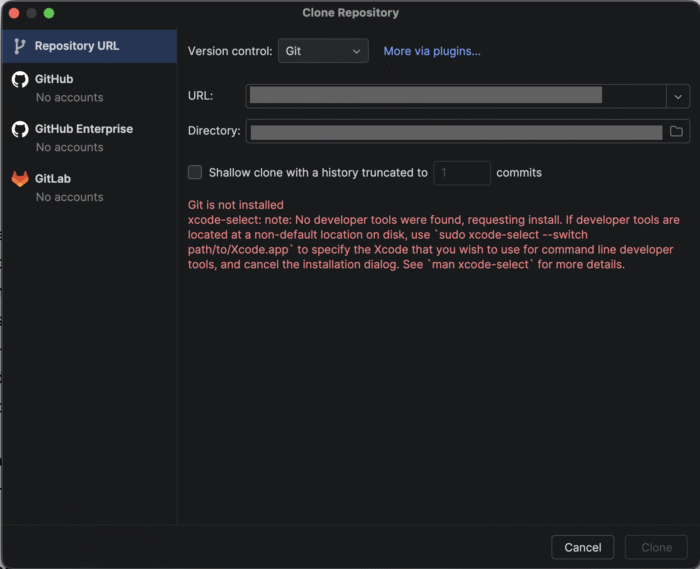
Setting up Android Studio on a freshly reformatted MacBook, I got this error:Git is not installed
xcode-select: note: No developer tools were found, requesting install. If developer tools are located at a non-default location on disk, use sudo xcode-select --switch path/to/Xcode.app to specify the Xcode that you wish to use for command line developer tools, and cancel the installation dialog. See man xcode-select for more details.
Quick answer: how I fixed “Git is not installed” on my Mac
Run xcode-select --install in Terminal, then look for the pop-up window and confirm it. That pop-up is what actually installs git. Here’s the short version:
- Open Terminal and run
git --versionto check whether git is there. Mine saidxcode-select: note: No developer tools were found, requesting install. - Run
xcode-select --install. - Find the pop-up asking for confirmation and confirm the installation.
- Wait a few minutes until it says “the software was installed”.
- Run
git --versionagain. I gotgit version 2.50.1 (Apple Git-155).
Want the screenshots and the full story, including how I almost missed the pop-up? Keep reading.
How do I check if git is installed on my Mac?
To verify the lack of git on my machine, I ran the git --version command in Terminal. Instead of a version number, I got xcode-select: note: No developer tools were found, requesting install.
How do I install git on a Mac with xcode-select?
To install git, I ran this command in my Terminal:
xcode-select --installand got this response:
xcode-select: note: install requested for command line developer toolsNothing happened after xcode-select –install. Now what?
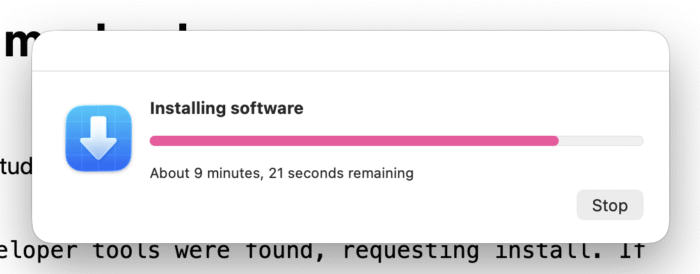
I initially thought the git installation wasn’t working, until I finally noticed that there was a pop-up asking for confirmation! I confirmed the installation, and the pop-up window looked like this while it installed git on my machine.
How do I know git finished installing?
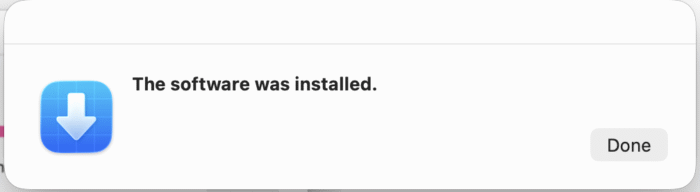
After a few minutes, “the software was installed”:
I ran git --version again and finally got this:
git version 2.50.1 (Apple Git-155)Quick FAQ
Why does Android Studio say “Git is not installed” on my Mac?
On my freshly reformatted MacBook, git simply wasn’t there yet. Running git --version confirmed it by returning the xcode-select “No developer tools were found” note.
What command installs git on a Mac?
xcode-select --install. After running it, confirm the pop-up that appears so the installation can start.
Why does xcode-select –install only say “install requested”?
That message just means the install was requested. The actual install starts once you confirm the pop-up window, which I almost missed.
How long does the installation take?
For me it took a few minutes, then the window said “the software was installed”.
Which git version did I end up with?
git version 2.50.1 (Apple Git-155), shown by running git --version after the install finished.
Why I’m writing this down (and for whom)
As I waited for the installation to complete, I asked myself why I write about this. Will it be helpful to anyone? Will anyone even read this page in the future, in an age when AI is most people’s first source of information instead of visiting web pages one by one?
The answer I had was: yes, this will surely be helpful to at least one person — me! The reason I blog about the challenges I encounter (since over a decade ago) is to help myself remember in the future. Why? Because it supports my terrible memory.