Being employed in the Philippines requires that we contribute to Home Development and Mutual Fund (HDMF) / Pag-IBIG Fund. If you are about to be employed and had been previously employed with another company, your new employer might require you to submit Pag-IBIG Contribution Printout as one of their pre-employment requirements.
As of this time, you won’t be able to check your Pag-IBIG contributions online (unless you’re an OFW who is contributing to Pag-IBIG Fund) but what you should to for your Pag-IBIG Contribution Printout is go to the Pag-IBIG branch where your records and contributions are being kept. Now, the next question is how do we know which Pag-IBIG branch is keeping our contributions? Follow my steps.
How to get Pag-IBIG Contribution Printout
-
Verify the branch location where your current employer is sending your contributions. You have 2 options:
- Ask your HR for the Pag-IBIG branch location, or
- Ask a Pag-IBIG Member Relations Officer via online chat for your “contributions details” which should include your branch location How to inquire about basic contribution details via Pag-IBIG Fund Chat:
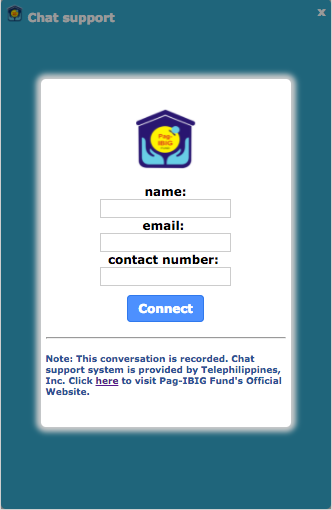
Go to Pag-IBIG Fund online chat. The first page should look like this:

- Enter your name, email, and contact number
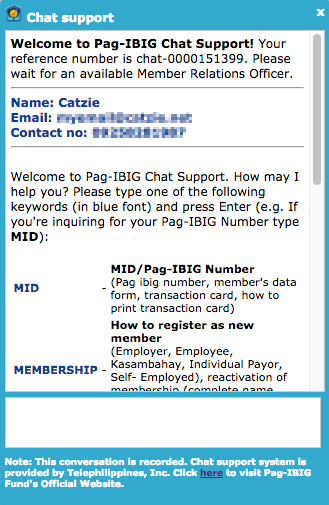
- Once inside the actual chat page, type CONTRI and press Enter key. The chat page should look like this:

- The Pag-IBIG chat system will automatically ask for the a few details. Simply type your response and press Enter key for each question, just like when you’re chatting with a person 🙂 These are the required Pag-IBIG details from you: Full Name (including Middle Name), birth date, previous employer, current employer, and Pag-IBIG Number.
- Once you provided the necessary details, a member relations officer will be there. He/she will provide to you the basic details of your Pag-IBIG Fund contributions, like this:
Member Relations Officer (10:21 AM): Thank you for patiently waiting. Kindly refer below for the details of your contributions:
YOUR CURRENT COMPANY
22 Monthly Savings from 201504 – 201613
MAKATI II BranchYOUR PREVIOUS COMPANY
21 Monthly Savings from 201307 – 201503
MAKATI II Branch
Member Relations Officer (10:24 AM): Do you have further questions or concerns Ma’am? - Now you know the Pag-IBIG branch where you need to get your Pag-IBIG Contribution Printout, which is “MAKATI II Branch” in our example above. If you’re not sure about its exact address, simply ask the Pag-IBIG member relations officer for it.
- Don’t forget to thank the Pag-IBIG member relations officer for assisting you! 🙂
-
Go to your branch to request a Pag-IBIG Contribution Printout
Now that you are sure of which Pag-IBIG branch is receiving your contributions, go ahead and visit that branch to request a Pag-IBIG Contribution Printout. If like mine, your Pag-IBIG Fund remittance is in Makati II branch, go to Justine Bldg. along Gil Puyat (Buendia) Avenue. Go to the Information Center at the ground floor to get a printed queue number. Wait for your number’s turn on the screen. You will be served at one of the following counter numbers: 4, 5, 6, or 7.
Other notes
Pag-IBIG Contribution Printout is also known as “Employee Statement of Accumulated Value” or ESAV. This printout shows the member name, Pag-IBIG ID number, TIN, employer ID, employer name, employer address, membership type, number of contributions, currency, employee contribution, employer contribution, “dividends”, and of course, the total accumulated value.

