Category: PHP

  • PHP dynamic variable names tutorial

    I think it’s very convenient for us developers, being able to name our variables dynamically. I’ll show you how to do it in PHP. 🙂

    For example, we have variable $foo with “bar” as value like this:

    If we want to create a variable named based on the “value” of variable $foo, this is what we write:

    The echo should display: My variable name is bar.

    Notice that the second variable that we declared was written as $$foo with 2 dollar symbols before the variable name. This makes it a variable variable — a variable whose name is a variable. What happens is that it first gets the value of $foo, which is “bar” and then uses that value as the variable name. And so, in the example above, defining the variable as $$foo = "My variable name is bar." is equal to defining it as $bar = "My variable name is bar.".

    Making the PHP variable name more dynamic

    Now, what if you want to make your variable name more dynamic? I’ll give you another example.

    Here we are generating a random 1-digit number, we’ll use it later:

    The way that we’ll define the dynamic variables will be a bit different from the example earlier.

    And here we have an array of strings:

    What if we want to create variables whose names are based on the value of strings in the array, like $uno, $dos, and $tres?

    We do it like in the code below. Notice that I defined my dynamically named variable like ${$v} inside the foreach:

    Now let’s use the $numbers I showed you earlier. Pay attention to what I put inside the foreach.

    The foreach let us define variables whose names are $uno1, $dos2 and $tres3, which are concatenated values from arrays $numbers and $words.

    This is where the magic happens: ${$words[$x] . $numbers[$x]}

    We combined elements from $words and $numbers arrays, then turned them into variable names by enclosing them in ${}

    And that’s it! Use variable variables at your convenience. 🙂
  • PHP: get full URL of current page with GET params or without

    The following string variable’s value will get the full URL of the current page, including GET arguments/params, if present.

    To get the full URL of current page but WITHOUT the GET args/params, do this instead:

    The strtok function will return only the part of the URL string up to the character before question mark “?” which is used by GET args/params.

    strtok was suggested in this StackOverflow answer: http://stackoverflow.com/a/4643312

  • PHP: avoid backslash on json_encode

    Hey! 🙂 If you are encoding your Arrays to JSON in PHP using json_encode() and the function adds backslash before your slashes, I’m gonna show you a quick fix.

    This is my original code:

    And the result is:
    {"success":true,"message":"Please enter email\/phone number."}

    See the added backslash before the slash? Ugly, right? To avoid that, simply add the JSON_UNESCAPED_SLASHES argument to your json_encode() function usage like this:

    Try it!

  • Laravel 5: How to change Auth URL from “/auth/login” to just “login”:

    Just sharing a link telling us how to remove the “auth” in the URL for Laravel’s pre-made login system.

    You need to modify App\Http\Middleware\Authenticate::handle() method and change auth/login to /login.

    Then you need to add $loginPath property to your \App\Http\Controllers\Auth\AuthController class.

    Source: How to change default redirect URL of Laravel 5 Auth filter?

  • Laravel 5 Folder Structure, Before and After


    Hey! 🙂 This is a page I’m preparing quickly for developers who are used to the folder structure of Laravel 4 and older, just to serve as reference on where we can find things in Laravel 5 now.

    If like me, you are new to Laravel 5 but have developed apps using older Laravel versions, you might also be a little confused with the new folder structure. Let the following table of data guide you. Don’t worry, after a while, I’m sure you’ll get used to the Laravel 5 folder structure. 🙂

    Find what? Before Laravel 5 In Laravel 5
    routes.php /app/routes.php /app/Http/routes.php
    Controllers Folder /app/controllers /app/Http/Controllers
    Models Folder /app/models usually /app or /app/models
    Views Folder /app/views /resources/views
    Config Folder /app/config /config

    I know, I wrote this Laravel 5 setup tutorial earlier. But I honestly haven’t really gotten used to the changes in Laravel 5 yet because I got caught up in learning Android app development. Not a bad thing though! 😀

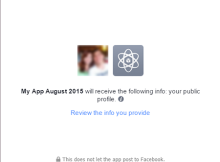
  • How to make a basic “Login via Facebook” with PHP & JavaScript

    How to make a basic “Login via Facebook” with PHP & JavaScript

    You’ve seen how some popular websites let you register or login via Facebook — Pinterest, Vimeo, Lifehacker, and many more.

    In this blog post, I’ll show you the very basic setup of the Facebook login button for your website. It is up to you to enhance the functions of your registration system.

    Note: There are periodic updates to the Facebook API, sometimes resulting to issues with previously working implementations of the API. So please note that this tutorial was written in the third week August 2015. 🙂

    I began writing this tutorial late in August, but because of other projects, was able to publish it when it’s already September.

    (more…)

  • PHP: Dynamic inclusion tutorial

    I’m posting this because I thought that it might help some people who want to structurize their website in a way that they can easily edit pages which contain contents and pages which contain the code of the layout, as we separate layout code from contents in dynamic inclusion.

    This is for PHP beginners, but I assume that you have basic knowledge about PHP variables and form submission methods if you would read this tutorial.
    (more…)