Category: Java

  • Android/Java: get variable data type

    For some reason you might need to get the data type of your Java variable. Here’s an example of what you can try:

    Then do whatever you like with data_type, whose value should be “String”. πŸ™‚

  • Get device’s IMEI in Android app development

    Here’s the content of my MainActivity class where I log the IMEI of my test device.

    You also need to add this permission to your AndroidManifest.xml file:

    Place it inside the <manifest></manifest> tag, but same level as <application></application>.

    Source: How to get the device’s IMEI/ESN programmatically in android?

  • Android: open web page in a browser

    To open a web page in an Android app, we need to create a new Intent and start a new Activity with it.

    Here’s a Java method that we can re-use:

    Just pass the URL of the web page you’d like to open to this method.

    Source: How to open a website when a Button is clicked in Android application?

  • Android / Java: Get the name of method being executed

    If you want to trace the name of the method that’s being executed, the Java code snippet in this page might help you.

    This is especially handy when you are debugging by tracking every method that is executed. You can enclose these lines of codes in a function that you call in every method — that’s easier than typing the name for each method you’re tracking, right? πŸ™‚

    The String variable methodName will contain the name of the method where you place the following lines of code:

  • Android: underline text in your app

    When I need to underline text in an app that I’m developing, I like doing it programmatically. The code is in the Java file, not in the XML.

    Maybe we should make a function for this where we pass the ID of the TextView whose content we’d like to underline.

    Disadvantages in this method:

    • It’s done in the Java file, not in UI files such as XML. It makes more sense to add codes for styling in XML files to me.
    • This underlines all text in the TextView. What if we need to underline only one text in a paragraph?

    If you have any suggestion, feel free to comment. πŸ™‚

    // EDIT:

    Here’s a method I prepared to make underlining TextView values easier:

    public void setTextViewUnderline(TextView myTextView){
    String htmlString = “” + myTextView.getText() + ““;
    myTextView.setText(Html.fromHtml(htmlString));
    }

  • Java: Strings

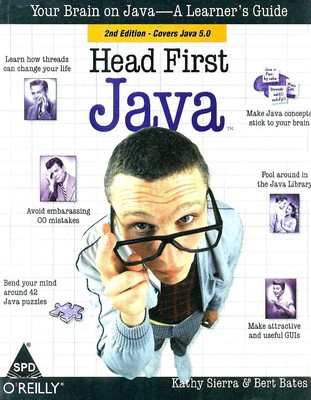
    First off, if you are in need of a good Java programming reference book, I suggest that you try Head First Java.

    In this blog entry, basics in Strings in Java programming will be briefly discussed.

    Assumption: You have already set up your Java development kit on your computer. (Environmental Variables, paths, etc…)
    (more…)

  • PDF Download: Head First Java (2nd Edition) – by Katy Sierra and Bert Bates

    PDF Download: Head First Java (2nd Edition) – by Katy Sierra and Bert Bates

    Learning Java? Great, this book will help you.

    I uploaded this Java Programming PDF to share with IT Elective 1 (Object Oriented Programming with Java) classmates. πŸ™‚

    I searched for it in Google, and I’m lucky to find this free e-book of Head First Java – Second Edition. I can’t remember where I got it from though. It’s been days (EDIT: no, it’s been months now! or maybe years), and I got a poor memory. lol.

    And by the way, I used A-PDF Split to split the e-book into separate chapters of the PDF for our convenience. The file I downloaded is only one PDF file which had 690 pages. It lags in slow computers. It’s also better off being separated by chapters for ease of reading, right? So, there. πŸ˜€

    I hope the Java PDF download links on this blog entry (Head First Java – Download) help you guys, and if you do find them helpful, please LIKE my website on Facebook. To find it on Facebook, search for “Catzie.net” πŸ˜€

    Download Link for Head First Java Ebook

    New! The following Head First Java Ebook is of better quality than the scanned one. It’s not split into several PDFs of individual chapters though, because I have no time to do it yet. It’s one big PDF file for now.

    FILE SIZE: 37.53MB


    Download Links for Head First Java Ebook

    The zip file that follows contains Head First Java scanned ebook split into several PDFs of individual chapters.
    FILE SIZE: 31.6MB

    Java Book Chapters

    1. Breaking the Surface: a quick dip
    2. A Trip to Objectville: yes, there will be objects
    3. Know Your Variables: primitives and references
    4. How Objects Behave: object state affects method behavior
    5. Extra-Strength Methods: flow control, operations, and more
    6. Using the Java Library: so you don’t have to write it all yourself
    7. Better Living in Objectville: planning for the future
    8. Serious Polymorphism: exploiting abstract classes and interfaces
    9. Life and Death of an Object: constructors and memory management
    10. Numbers Matter: math, formatting, wrappers, and statics
    11. Risky Behavior: exception handling
    12. A Very Graphic Story: intro to GUI, event handling, and inner classes
    13. Work on Your Swing: layout managers and components
    14. Saving Objects: serialization and I/O
    15. Make a Connection: networking sockets and multithreading
    16. Data Structures: collections and generics
    17. Release Your Code: packaging and deployment
    18. Distributed Computing: RMI with a dash of servlets, EJB, and Jini

    Happy Java programming, y’all. πŸ™‚ Make good use of the learning Java book you downloaded.

    Java is a programming language originally developed by James Gosling at Sun Microsystems (which is now a subsidiary of Oracle Corporation) and released in 1995 as a core component of Sun Microsystems’ Java platform.

    The syntax of Java is mostly derived from that of C and C++ programming languages, but with simpler object model and fewer low-level facilities.