Category: Graphic Design

  • Photoshop CS5 for Dummies (Free PDF Ebook Download) by Barbara Obermeier

    Photoshop CS5 for Dummies (Free PDF Ebook Download) by Barbara Obermeier

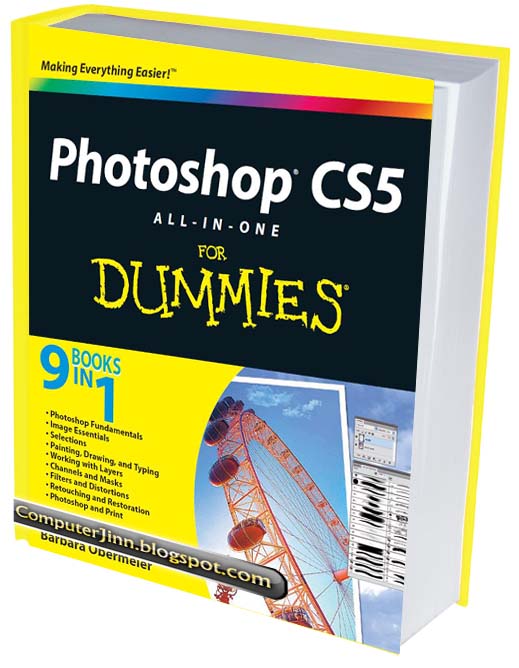
    Photoshop CS5 all-in-one for Dummies (2010) is written by Barbara Obermeier and may be considered 9 books in one, as it covers the following topics in digital graphics editing and design:

    • Photoshop Fundamentals
    • Image Essentials
    • Selections
    • Painting, Drawing, and Typing
    • Working with Layers
    • Channels and Masks
    • Filters and Distortions
    • Retouching and Restoration
    • Photoshop and Print

    Photoshop CS5 for Dummies Download Link:

    The ebook Photoshop CS5 for Dummies (PDF format) that you are about to download is in full color and 35 MB in size:

    (more…)

  • Workaround if Adobe Photoshop CS5 won’t save files because of screen resolution

    I just installed Adobe Photoshop CS5. I finished the graphic I was working on and so, hit Ctrl + S. Nothing happened. Chose Save, as well as Save As from the File menu, and still nothing happened. Save for Web and Devices works, but I needed to save my file in .PSD format.

    After some Google search I read that this happens if your (more…)

  • Free Graphics: Star Brushes for Photoshop

    I’ve been downloading star brushes for a personal graphic project I am working on.

    Here are the star brushes I found so far. Remember to check the terms set for each brush if you will be downloading them! 🙂
    (more…)

  • Free Graphics: Plain rectangular Add to Cart web buttons

    Here are free graphics for people to download. They are not so appealing, I know. I just thought I’d share them here in my blog.

    So, here you go, plain rectangular web buttons that say “Add to Cart” in caps. They come in different colors – royal blue, apple green, black, sky blue, gray, mint (blue green), brownish orange, pink, purple, red, white, and yellow/gold. My current theme is adding a gray border on the display below. The gray borders shouldn’t be there when you download them.

    Feel free to use them anywhere you like. Right click and save them. Clicking on them gives a strange display.

    Giving me the credit would be nice, but NOT required. 🙂 Just please do not direct link on my files. Thanks. lol.

  • Flash Game – Clannad – Dango Daikazoku Adventure

    Flash Game – Clannad – Dango Daikazoku Adventure

    As a homework in our Flash class, we were asked to design and code a Flash game with two levels. I decided to base my theme on “Dango Daikazoku” from the visual novel (PC game) and anime Clannad.

    I always found the dangos cute that I had fun making this game. 🙂 I’m letting you guys play it. Although the game is not that good because it was rushed, especially the second level.

    Note: There are times you might not be able to control the character, please just click on the Flash screen to regain control. This happens when you lose focus on the Flash screen.
    (more…)

  • PDF Download: Flash CS4 for Dummies by Ellen Finkelstein and Gurdy Leete

    Start learning Adobe Flash CS4 by reading this book: Flash CS4 for Dummies!

    With Adobe Flash CS4 For Dummies as your guide, you can unleash your creativity and contribute to the “Flash”-iest showcase of dynamic content: the Web! You’ll become acquainted with Flash CS4 and learn when to use this popular Web development tool. Plus, you’ll discover what you can create, from animation to games to presentations

    1. Find out how to:
    2. Draw and edit images, create effects, and use layers
    3. Building layers, manipulate objects, and add buttons
    4. Animate figures and add interactive features
    5. Understand the basics of colors, frame rates, and graphics
    6. Incorporate video and sound files
    7. Publish your files to the Web

    (more…)

  • Free photos for your web and graphic designs

    I searched the web for stock photos that are for free. As a graphic designer with low budget, I often need these. I know a lot of other designers need free stock photos too so I decided to share the links I found through this blog.

    Most of the sites I found let people use the stock photos for commercial purpose and royalty-free. Some require a link-back or credit to the photographer, and some do not.

    Don’t forget to read the terms and conditions first, as well as the licenses for each individual photo. 🙂 Some are linked right on the terms page.

    If you have other resources to add, please do comment it on this post! Thanks in advance. 😀
    (more…)

  • Free PDF Download: Adobe Flash ActionScript 3.0 Programming

    This manual provides a foundation for developing applications in Adobe® ActionScript® 3.0. To best understand the ideas and techniques described, you should already be familiar with general programming concepts such as data types, variables, loops, and functions. You should also understand basic object-oriented programming concepts such as classes and inheritance. Prior knowledge of ActionScript 1.0 or ActionScript 2.0 is helpful but not necessary.

    -chapter 1

    Here is a free download of a programming manual for Flash AS3 from Adobe.

    (more…)

  • PDF Download: ActionScript 3.0 Game Programming University by Gary Rosenzweig

    ActionScript 3.0 Game Programming University E-Book
    ActionScript 3.0 Game Programming University E-Book

    Trying to learn game programming in Adobe Flash? Want to learn game programming using AS3? Try this e-book that I’m going to share with you. It covers Adobe Flash CS3 Professional, so it’s perfect if you use Flash CS3.

    (more…)

  • Adobe Illustrator: Get a smooth blur effect

    I remember how the pixelated blur effects in Adobe Illustrator made me feel so frustrated back in my IT Elective 4 class. It’s only now that I found out the solution for that problem, after doing a Google search. Here is how we can avoid pixelated blur effects in Adobe Illustrator. Please note that I am using Adobe Illustrator CS4.

    1. Click on Effect.
    2. Choose Document Raster Effects Settings.
    3. Choose High (300 ppi) as your Resolution.

    Doing the three steps above enhanced the blur effect on the graphic I am working on. I hope it helps you too.