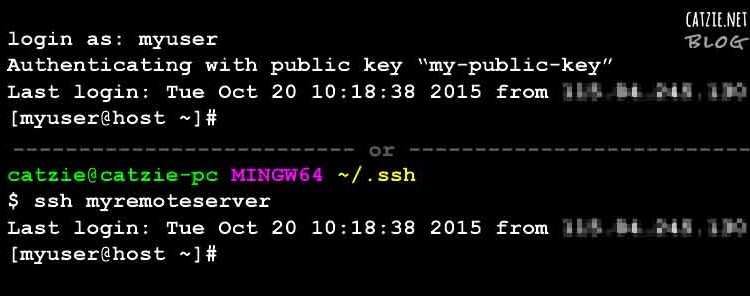
We access remote Linux servers everyday from our Windows computers. Having different servers for different projects, it can be difficult having to enter the passwords over and over in everyday. And so, I suggest that we use SSH Keys instead for authentication to save us some time and boost productivity. SSH keys should also make […]
Windows
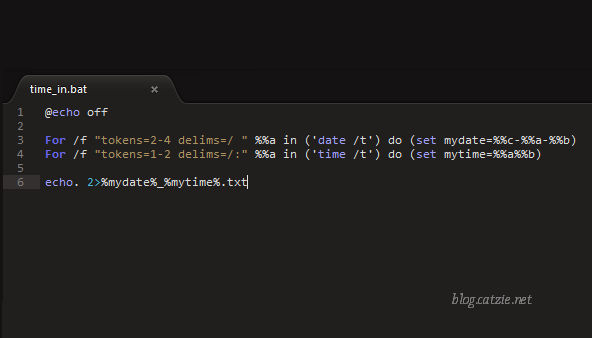
Log the date & time each time you turn on your Windows computer
In the morning, I sometimes forget the time I log into the time-tracking system in my workplace so I stay a bit longer to make sure I don’t get an “undertime”. I thought that my computer at work could help me with this issue somehow. I hoped there was a Windows program that can record […]

How to install Laravel 5 in Windows with XAMPP
This short tutorial is based on my own installation of Laravel 5 on XAMPP that is running on Windows 7. In this Laravel 5 tutorial, you will need: Composer – click here for installation instructions command prompt Internet connection XAMPP There have been major changes in the following: New Folder Structure, Contracts, Route Cache, Route […]
Windows 7 ASUS Issue: Auto-hides taskbar and changes wallpaper to default with Power4Gear Hybrid
I encountered this issue several times while using an ASUS computer with Power4Gear Hybrid (Windows 7). When I turned the computer on I noticed that my desktop wallpaper was changed into a light gray ASUS wallpaper, and that my taskbar was set to auto-hide. Prior to shutting down, I’m sure my wallpaper was a personalized […]
Windows 7 – if you cannot open Gadgets menu or some Gadgets are hidden
There was a problem in my Windows 7 desktop a while ago. Supposed to be, there were two Gadgets in there, and I noticed the other is missing. I thought maybe I just accidentally removed it, so I decided to open the Gadgets menu to place it on my Windows 7 desktop again. BUT when […]
Restore missing desktop icons in Windows XP or Windows 7
I noticed that all my desktop icons were gone. I thought it was only because my computer was hanging, so I restarted it. After the restart there were still no icons. I’m not the kind of computer user who knows every solution to every small problem so I searched for solutions to what happened. (And […]