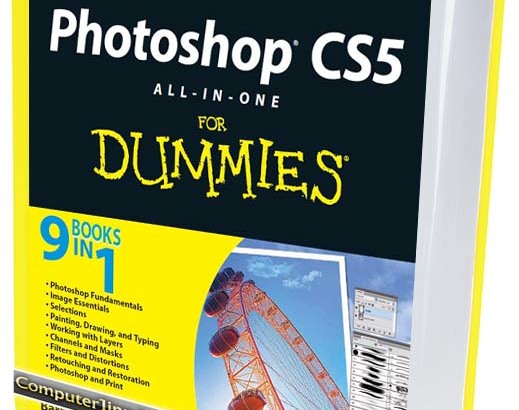
Photoshop CS5 all-in-one for Dummies (2010) is written by Barbara Obermeier and may be considered 9 books in one, as it covers the following topics in digital graphics editing and design:
• Photoshop Fundamentals
• Image Essentials
• Selections
• Painting, Drawing, and Typing
• Working with Layers
• Channels and Masks
• Filters and Distortions
• Retouching and Restoration
• Photoshop and Print
Photoshop CS5 for Dummies Download Link:
The ebook Photoshop CS5 for Dummies (PDF format) that you are about to download is in full color and 35 MB in size:
 Photoshop CS5 for Dummies (PDF Ebook, Full Color) (unknown, 2,554 hits)
The Photoshop CS5 for Dummies ebook is good whether you are a beginner learning how to “photoshop” or a Photoshop CS3 / CS4 expert starting to learn CS5 using the book’s Photoshop tutorials.
Photoshop CS5 for Dummies (PDF Ebook) – Contents at a Glance
A rough list of contents from Photoshop CS5 for Dummies
Contents at a Glance
Introduction .................................................... 1
Book I: Photoshop Fundamentals .................................. 7
Chapter 1: Examining the Photoshop Environment ...................9
Chapter 2: Getting to Know the Tools Panel ......................27
Chapter 3: Starting, Finishing, and Getting It on Paper .........39
Chapter 4: Viewing and Navigating Images ........................57
Chapter 5: Customizing Your Workspace and Preferences ...........97
Book II: Image Essentials ......................................123
Chapter 1: Specifying Size and Resolution ......................125
Chapter 2: Choosing Color Modes and File Formats ...............141
Chapter 3: Using and Managing Color ............................165
Chapter 4: Time Travel — Undoing in Photoshop ..................193
Chapter 5: Creating Actions for Productivity and Fun ...........207
Book III: Selections ...........................................219
Chapter 1: Making Selections ...................................221
Chapter 2: Creating and Working with Paths .....................241
Chapter 3: Modifying and Transforming Selections and Paths......265
Book IV: Painting, Drawing, and Typing .........................285
Chapter 1: Painting and Drawing with Photoshop .................287
Chapter 2: Filling and Stroking ................................311
Chapter 3: Creating and Editing Type ...........................329
Book V: Working with Layers ....................................357
Chapter 1: Creating Layers .....................................359
Chapter 2: Managing Layers .....................................389
Chapter 3: Playing with Opacity and Blend Modes ................407
Chapter 4: Getting Jazzy with Layer Styles and Clipping Groups .423
Chapter 5: Working with Smart Objects ..........................447
Trivia: Adobe Photoshop is my favorite software for creating web graphics. I didn’t learn how to use Photoshop until I was in college, because I wanted to stick with my former favorite Jasc (now Corel) Paint Shop Pro. And that was until I discovered that Photoshop had more desirable features.

tanks
thanks ms. Cutie pie hehehe…nice ebooks..and nice blog site..it’s a big help on my design salamat!!!
ebooknya wow! banget. terima kasih atas kebaikan hatinya yg udah share ni ebook
I am taking a photo shop 52 course this semester & need help. I dont knomake w how to new folders for the class assiignments.
Thanks Bro.. Nice Book..^^
thank’s
Wow, wonderful blog layout! How long have you been blogging for?
you make blogging look easy. The overall look of your site is excellent,
as well as the content!
Heya are using WordPress for your site platform? I’m new to the blog world but I’m trying to
get started and set up my own. Do you need any coding expertise
to make your own blog? Any help would be really appreciated!
gan why the size is so big
gan why the size is so big,its pdf sure?
Thanks your ebook is well
thaaaaaaaaaaaaaaaaanks
thaaaaaaaaaaaaaaaaaaaaanks
I have Adobe Photoshop CS2 and hope I can also apply the lessons with the older version of Photoshop. Thanks for the resource.